PvP
Rust Twitch & Kick Drops: How to Link, Claim, Fix Missing Drops and Check What You Missed
Everything about Rust Twitch and Kick drops in one place: linking your accounts, claiming drops, fixing drops that never arrived and checking which past drops you have or missed.
What are Rust drops?
Twitch and Kick drops are free Rust skins you earn by watching Rust streams with the Drops Enabled tag during a drop campaign.
You need to own Rust on Steam to receive the items.
- General drops can be earned on any participating stream.
- Streamer drops require watching that specific streamer.
- Drops are account-bound: they can't be traded or sold.
- Once a round ends, those skins are gone. There's no way to get them later.
You need to own Rust on Steam to receive the items.
How to link your accounts
Twitch:
Kick: same steps at https://kick.facepunch.com/connect
Do this before the round starts so your watch time counts from the beginning.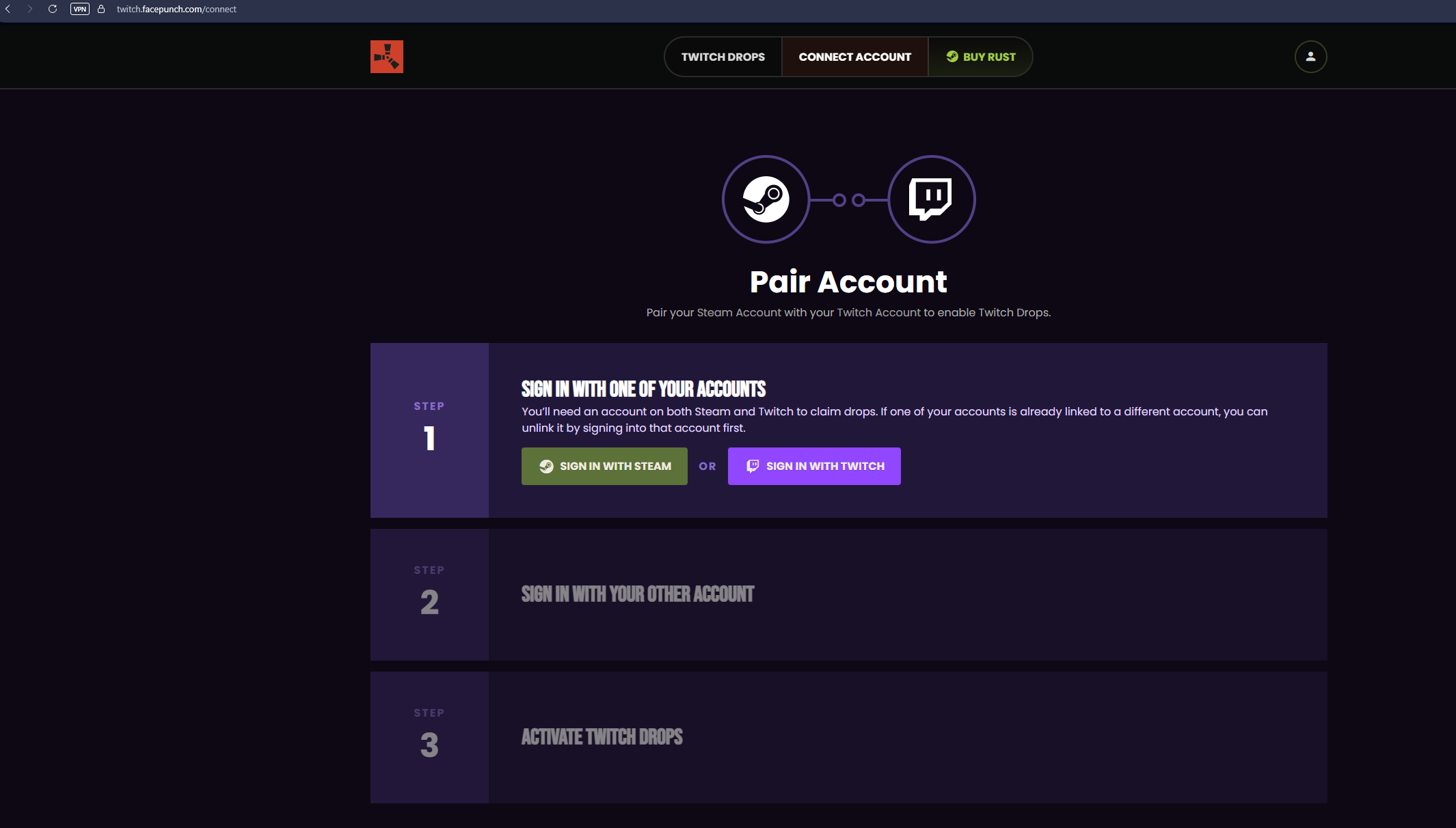
- Go to https://twitch.facepunch.com/connect
- Sign in with Twitch, then with Steam.
- Press the button to activate drops for your Steam account.
Kick: same steps at https://kick.facepunch.com/connect
Do this before the round starts so your watch time counts from the beginning.
How to earn and claim drops
- Open a Rust stream with the Drops Enabled tag and keep it playing.
- Watching several streams at once does not earn drops faster. Only one channel counts at a time.
- Track your progress in the Drops Inventory on Twitch or Kick.
- When a drop is ready, press Claim. Unclaimed drops won't be sent to Steam.
After claiming, items usually show up in your Steam inventory within about 10 minutes.
My drops didn’t arrive
- Wait at least 30 minutes after claiming.
- Make sure you pressed Claim in your Twitch/Kick Drops Inventory.
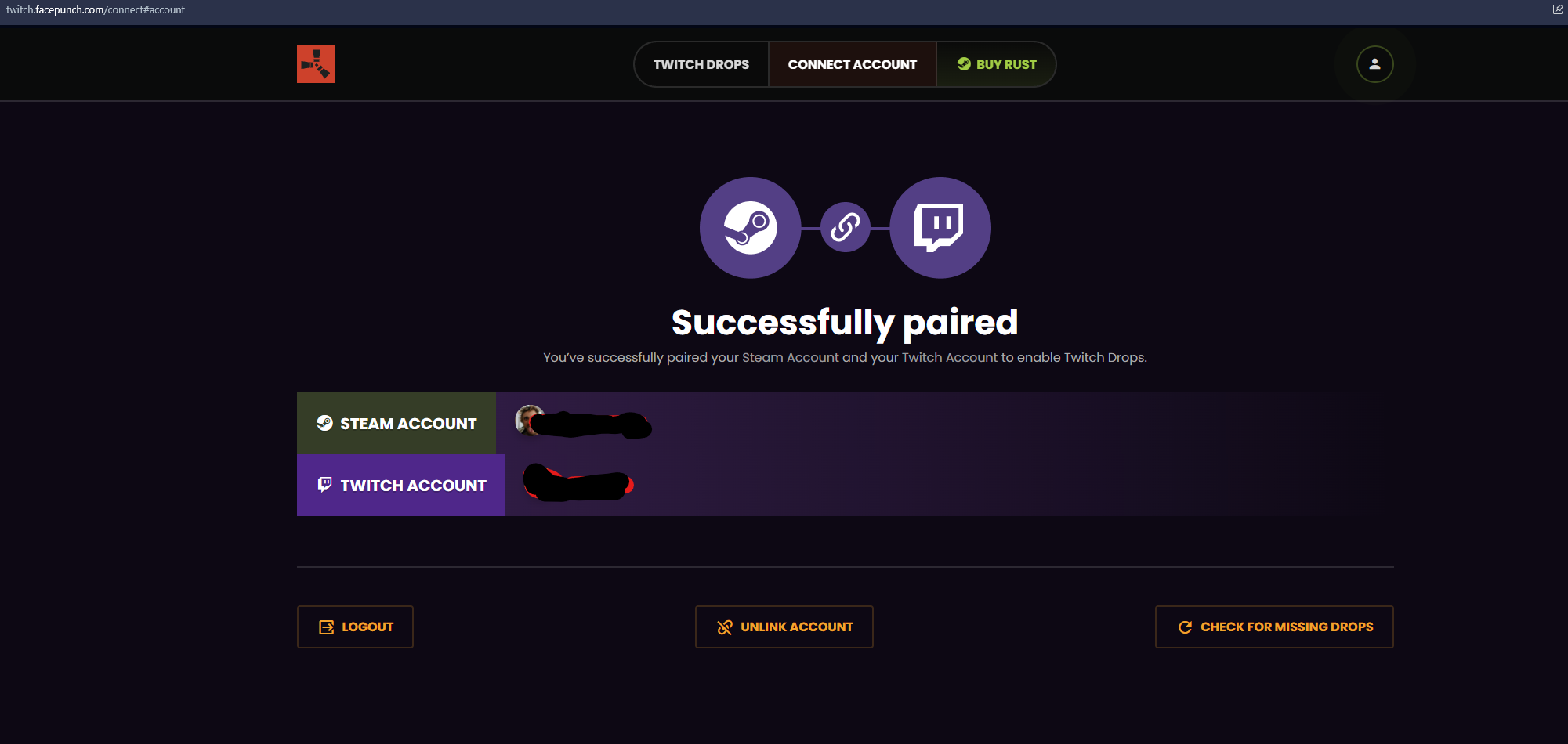
- Check that your accounts are still linked at twitch.facepunch.com/connect (or the Kick page).
- Sign in at https://twitch.facepunch.com and press Check for Missing Drops. This re-sends drops you claimed but didn't receive.
- Restart Rust.
Important: claimed drops expire if they aren't delivered to Steam within 180 days. If you claimed drops before buying Rust, link your accounts and use "Check for Missing Drops" soon.
How to check which drops you have
Manually: open your Steam inventory, filter by Rust and look through your skins. This works, but with hundreds of drop skins across 50+ rounds it's hard to tell which ones are missing.
With a checker: DropLedger compares your Steam inventory with all known Twitch and Kick drops, grouped by round, and shows your collection %. The basic check is free. Your inventory must be set to public.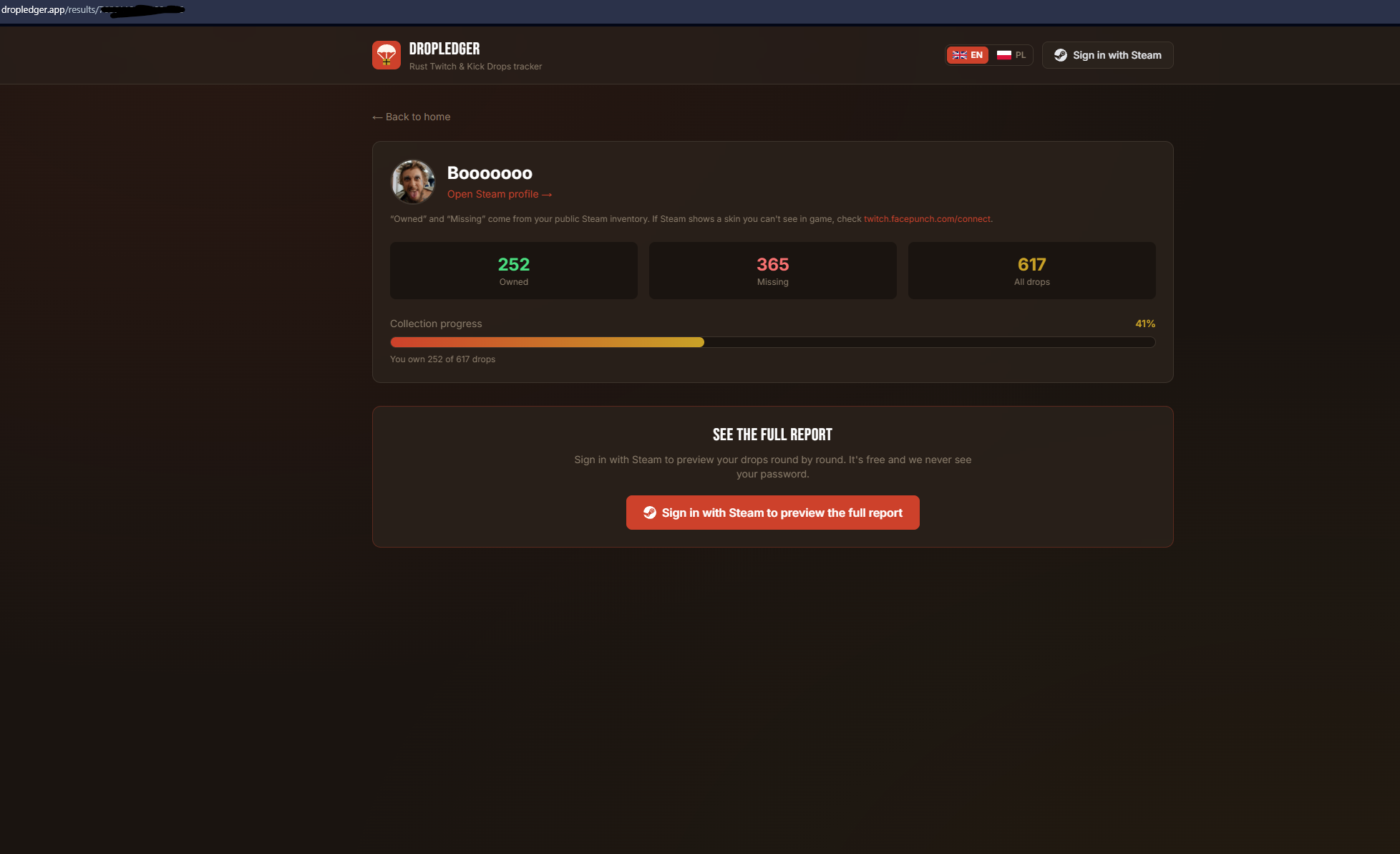
With a checker: DropLedger compares your Steam inventory with all known Twitch and Kick drops, grouped by round, and shows your collection %. The basic check is free. Your inventory must be set to public.
FAQ
Do I need Twitch Prime or a subscription?
No. A free Twitch or Kick account linked to a Steam account that owns Rust is enough.
Can I get drops from an old round?
No. If you missed a round, those skins can't be earned anymore.
Can I trade drop skins?
No, they're bound to your account.
How do I know when the next round starts?
Watch twitch.facepunch.com and Facepunch's announcements. Rounds are announced shortly before they start.
No. A free Twitch or Kick account linked to a Steam account that owns Rust is enough.
Can I get drops from an old round?
No. If you missed a round, those skins can't be earned anymore.
Can I trade drop skins?
No, they're bound to your account.
How do I know when the next round starts?
Watch twitch.facepunch.com and Facepunch's announcements. Rounds are announced shortly before they start.
Комментарии 0
Войди через Discord, чтобы комментировать